Tiki3d
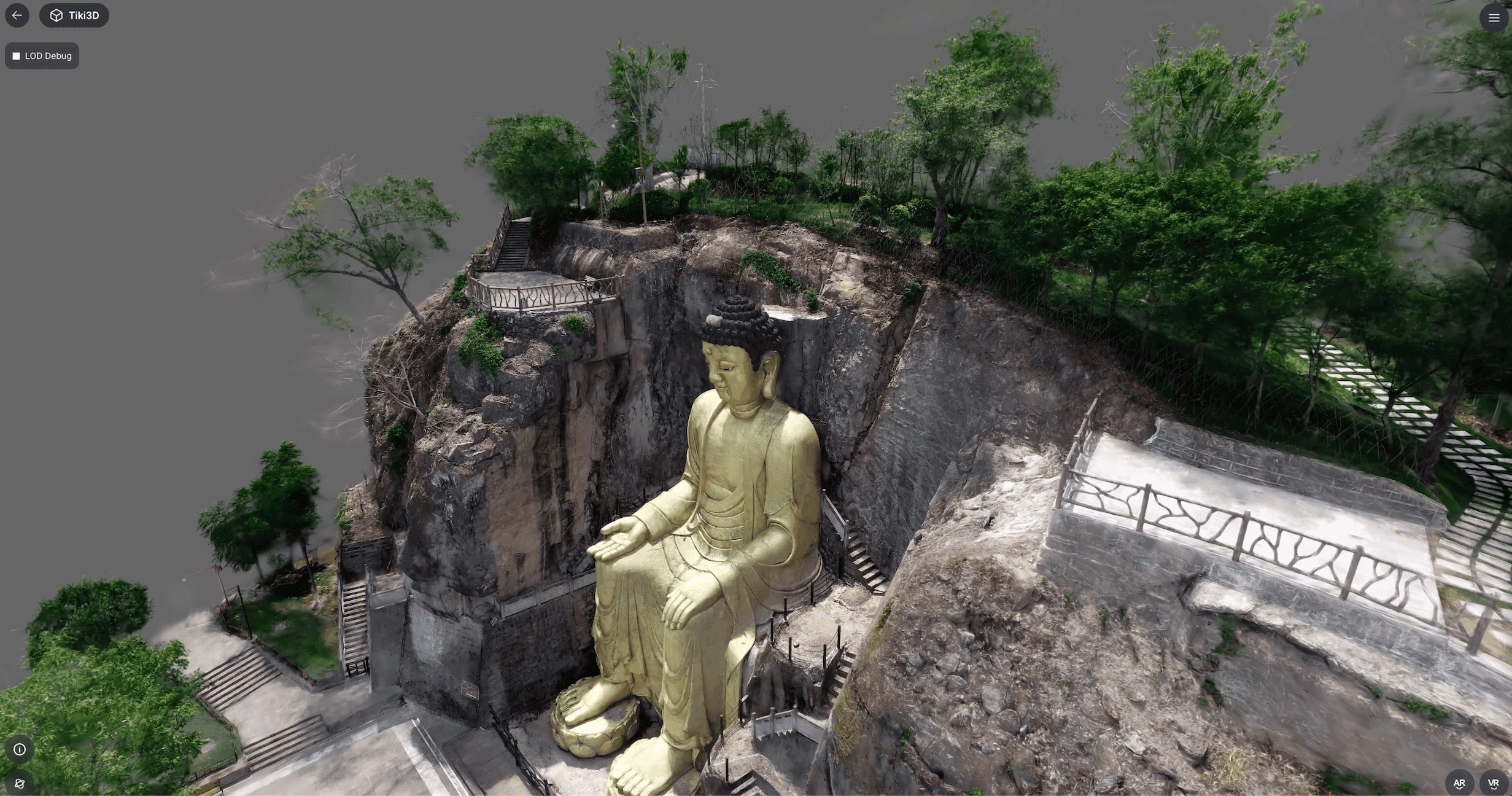
A production 3D Gaussian Splatting authoring and playback platform — explore real-world sites as photoreal point clouds, edit them, and choreograph guided tours, all in the browser.
- Role
- Web3D & Full-stack engineer
- Client
- Soarscape Ltd
- Year
- 2026
Stack
- PlayCanvas
- 3D Gaussian Splatting
- WebGL
- TypeScript
- Scene Editor
The brief
Soarscape is a 3D surveying company with its own compute facility and its own software. That software runs on Windows, which was the whole problem. Their founder wanted to take the business international and needed something to show the market, and competitors were moving on the same idea at the same time. Desktop software you install does not travel well as a pitch.
He brought me in to build Tiki3d, the browser product: upload a Gaussian splat capture, clean it up, choreograph a camera tour, send a link. I led the 3D web work end to end, from the render pipeline to the authoring tools to the viewer clients see, and we shipped in about four months.
Copying PlayCanvas on purpose
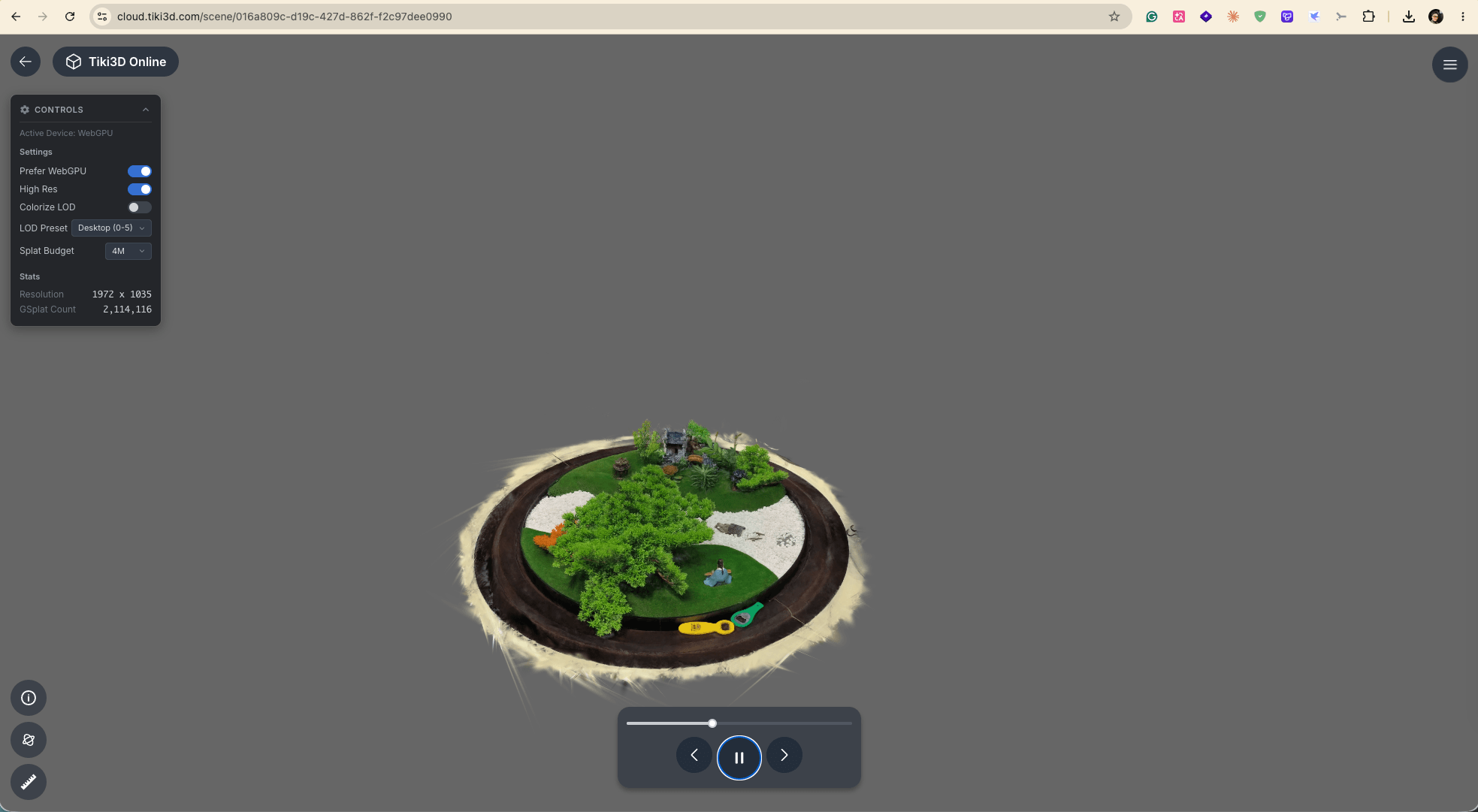
The viewer had to feel right before it did anything clever. Orbit damping, zoom curve, how the camera settles after you release the mouse: get those wrong and a photoreal scene still feels broken. I have watched people call a renderer "laggy" when the frame rate was fine and only the easing was off.
Rather than tune those constants by guesswork, I read the PlayCanvas viewer source and ported the parts that govern camera feel directly into our codebase. Their team had already solved it, the code was there to read, and my job was shipping a product in four months. I would rather inherit a solved problem than rediscover it. The same reasoning drove the model editor, where I rebuilt the selection tools against the official editor's behaviour instead of designing my own conventions.
The cost of that decision is real. We carry code we did not write and cannot upgrade by bumping a version, so when PlayCanvas changes its camera internals we diff by hand. I took that trade knowingly.
Selection tools on raw point clouds
The model editor gives you Lasso, Brush, and Polygon, plus Delete and Hide. Shift adds to a selection, Ctrl subtracts. The brush has a size slider. All of it runs against the splat representation itself, with no proxy mesh standing in.
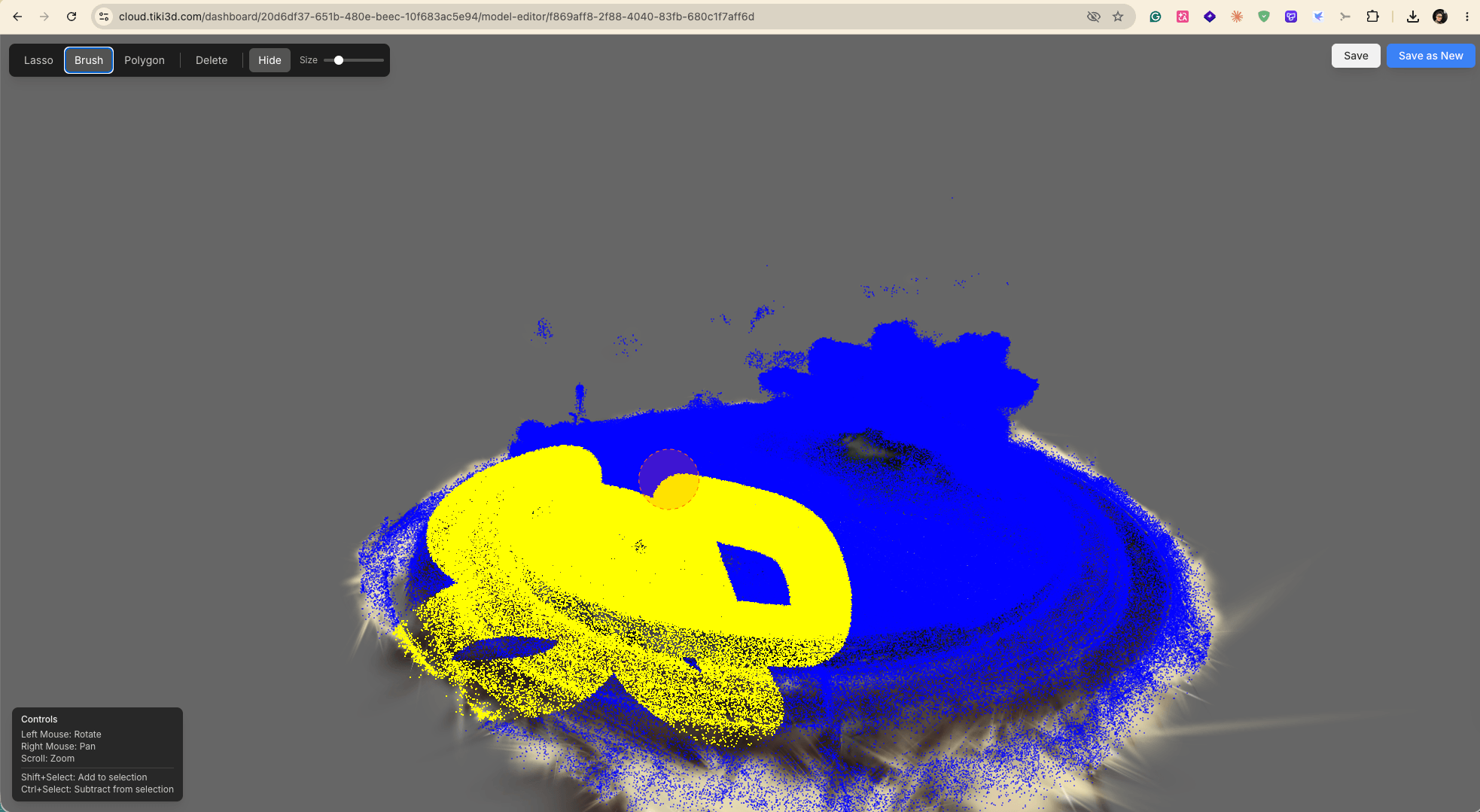
Editing captures is unglamorous and constant. Real scans arrive with a fence you want gone, a neighbour's window you are not allowed to publish, floating noise from a bad pass. Every one of those needs a human with a brush, not an algorithm.
The part I care about most is the Save as New button. Deleting a million splats is destructive, and a surveyor who trims too far should not lose the capture. Saving to a new model keeps the original intact, so people experiment instead of tiptoeing.
Measurement, which is the whole business case
Marketing teams want a pretty tour. Surveyors want to know how far apart two things are, and that number decides whether the platform is a toy.
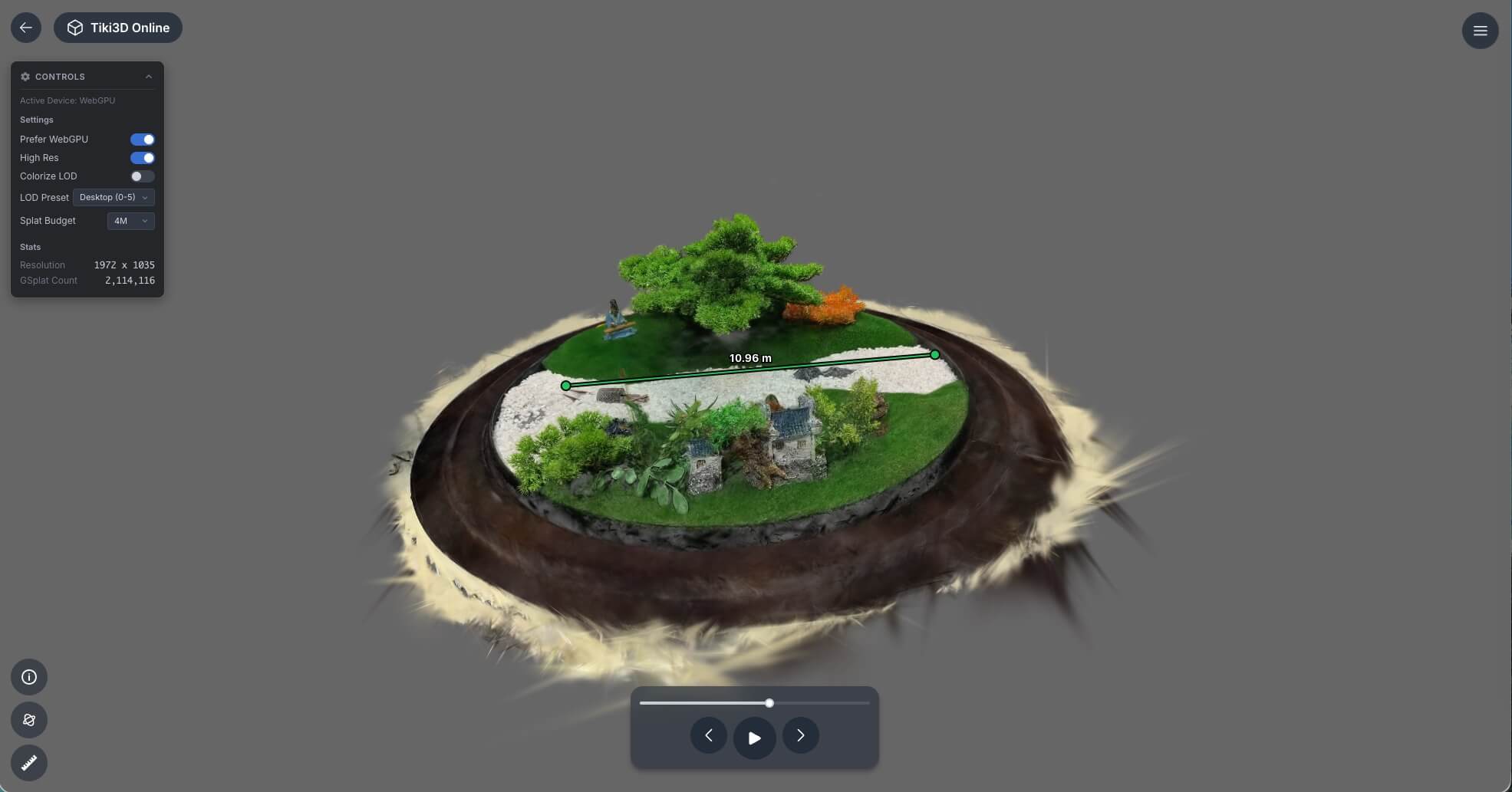
Click-to-measure runs on the splat cloud, so distances come from the captured geometry rather than a simplified stand-in. That is the feature that moves Tiki3d from a viewer to something a survey team will pay for.
Animation as data, not as a recording
Scenes play back camera tours, and I built the authoring for those in the scene editor. A tour is a set of groups, each holding camera positions and lookat targets, with a transition setting per step for easing like ease-in-out.
Keeping tours as structured data rather than baked video paid off twice. The viewer and the editor read the same format, so what an author scrubs through is what a client receives. And because a tour is a small piece of JSON next to a large capture, changing a camera move costs nothing in storage or re-export.
Formats, budgets, and the boring reliability work
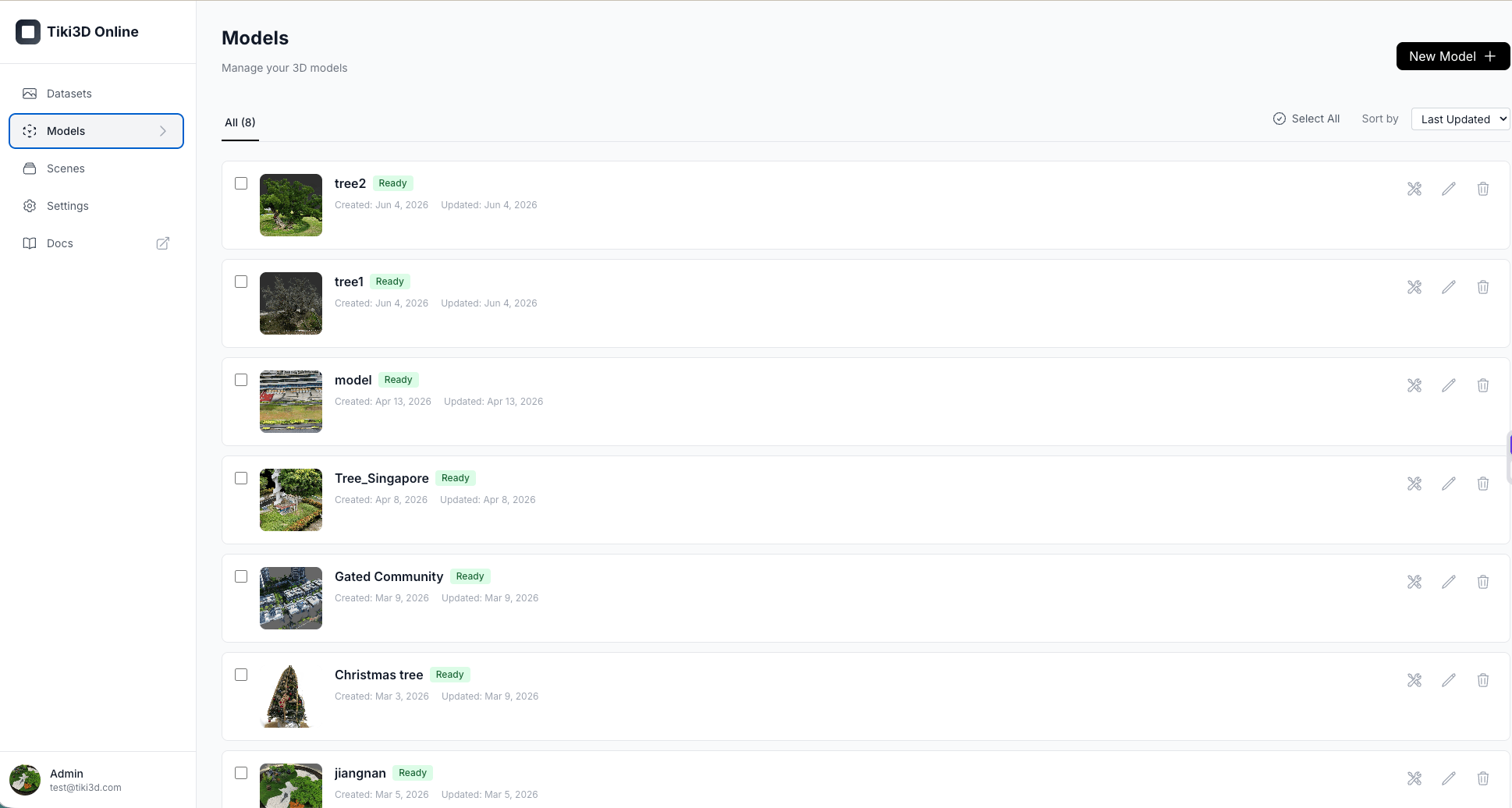
The viewer and editor read tiled assets (our own format), SOG, SOG-LOD, and PLY. You can merge several models into one scene and adjust position and rotation per model in the editor.
Two decisions here I would repeat. First, upload validation: files get checked on the way in, and a malformed capture is rejected at upload instead of failing later in a render loop where the error means nothing to the user. Second, exposing the performance knobs. The viewer shows the active device, a LOD preset, and a splat budget, so an operator on weak hardware can drop the budget and keep a usable scene rather than watching the tab die. Colorize LOD stays in the build as a debug view because diagnosing LOD problems by eye is much faster than reasoning about them.
What I would change
The ported camera code is the thing I keep thinking about. It got us to launch on schedule and it is now the least portable part of the system. If I rebuilt Tiki3d I would wrap that behaviour behind an interface of our own from the start, so the borrowed implementation sits in one replaceable box instead of threading through the viewer.
Everything else I would keep, particularly the choice to treat editing and measurement as first-class features. Most splat work on the web stops at rendering something photoreal in a browser. Letting people cut, measure, and direct the scene is what made Tiki3d something Soarscape could put in front of an international market rather than another demo.